




Unit outcomes
Pupils who are secure will be able to:
- Create a flip book animation.
- Take clear, in-focus photographs using a digital camera.
- Upload images from the school network.
- Decompose a story into smaller parts to plan a stop motion animation.
- Create stop motion animations with small changes between images.
Suggested prior learning
Lessons
Lesson 1: What is animation?
Lesson 2: Taking photographs
Lesson 3: My first animation
Lesson 4: Planning my project
Lesson 5: Creating my project
Key skills
- Using greater control when taking photos with cameras, tablets or computers.
- Using logical thinking to explore software, predicting, testing and explaining what it does.

This content is for subscribers only. Join for access today.
Key knowledge
- To understand that an animation is made up of a sequence of photographs.
- To know that small changes in my frames will create a smoother looking animation.
This content is for subscribers only. Join for access today.
Key vocabulary
animate
animation
This content is for subscribers only. Join for access today.
Equipment list
Equipment needed across all lessons in this unit.
This list does not include equipment which is usually readily available in the classroom (e.g pencils, A4 paper etc)
 Download
Full equipment list for the subject
Quantities marked × will update. Items without quantities are unaffected
- Microsoft Photos As needed
- Google Photos As needed
- A digital camera, iPad or tablet ×8
- Digital device (internet-enabled) ×15
- Paper ×30
This content is for subscribers only. Join for access today.
Related content
Unit resources

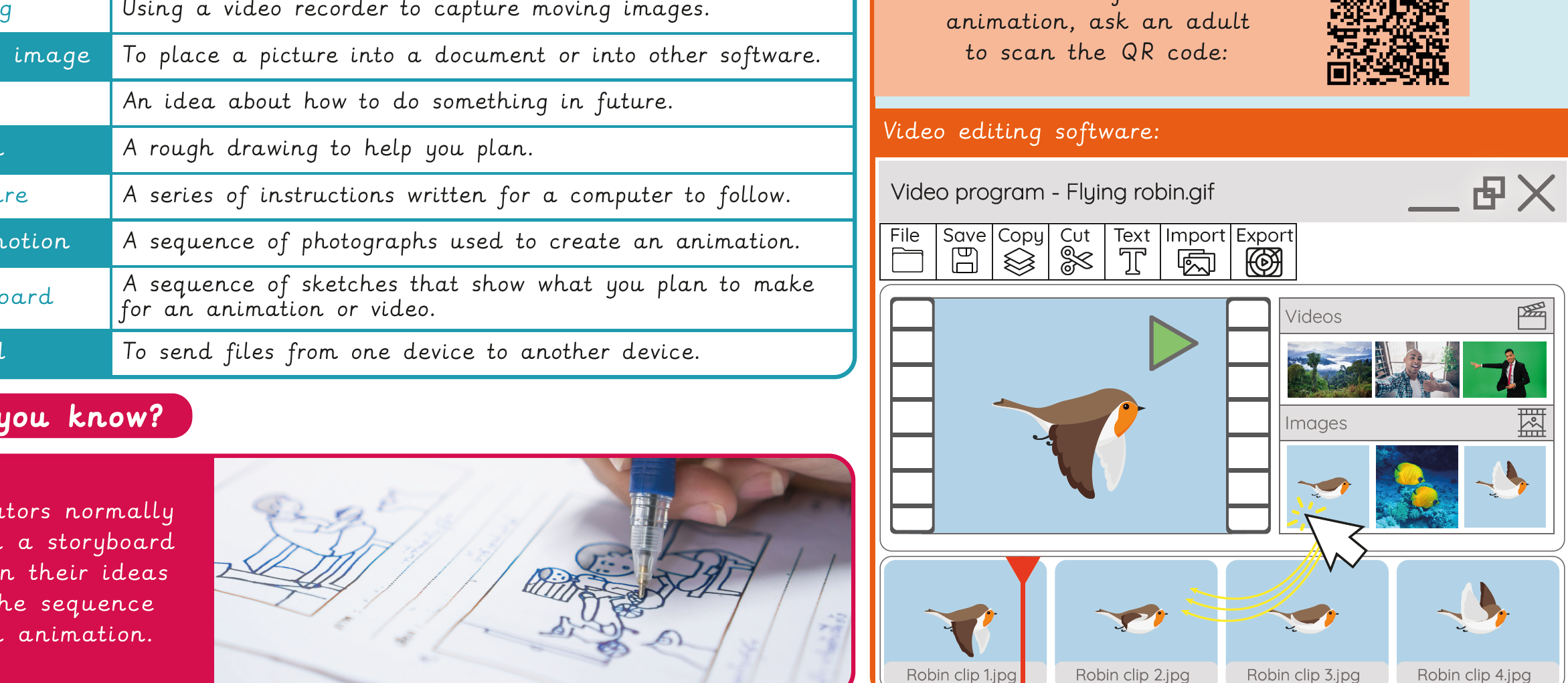
Knowledge organiser – Computing Y2: Stop motion
Aimed at pupils, a single page which gives key facts and definitions from the unit "Creating media: Stop motion".
Vocabulary display – Computing Y2: Stop-motion – Option 2: Using desktops/laptops
A display version of the key vocabulary from the unit 'Stop-motion - Option 2: Using desktops/laptops'.
Subject resources
This content is for subscribers only. Join for access today.
Cross-curricular opportunities
Art and design
Suggested next steps
Video trailers – Option 1: Using devices other than iPads
There are alternative options available for this unit.

