




Unit outcomes
Pupils who are secure will be able to:
- Log in and out of email.
- Send a simple email with a subject plus ‘To’ and ‘From’ in the body of the text.
- Edit an email.
- Type in the email address correctly and send the email.
- Add an attachment to an email.
- Write an email using positive language, with an awareness of how it will make the recipient feel.
- Recognise unkind behaviour online and know how to report it.
- Offer advice to victims of cyberbullying.
- Recognise when an email may be fake and explain how they know.
Suggested prior learning
Computing systems and networks 2: Word processing
There are alternative options available for this unit.

Lessons
Lesson 1: Communicating with technology
Lesson 2: Sending an email
Lesson 3: Adding attachments
Lesson 4: Be kind online
Lesson 5: Fake emails
Key skills
- Learning to

This content is for subscribers only. Join for access today.
Key knowledge
- To understand
This content is for subscribers only. Join for access today.
Key vocabulary
account
attachment
This content is for subscribers only. Join for access today.
Equipment list
Equipment needed across all lessons in this unit.
This list does not include equipment which is usually readily available in the classroom (e.g pencils, A4 paper etc)
 Download
Full equipment list for the subject
Quantities marked × will update. Items without quantities are unaffected
- Microsoft Forms As needed
- Devices with internet access ×15
- Microsoft Excel As needed
- Microsoft Outlook As needed
- 5 trays labelled inbox, sent, drafts, junk and undelivered.
Optional
For the unplugged activity
-
2 trays labelled ‘inbox’ and ‘sent.
- The children’s completed Activity: Email template from the last lesson
- Line graph ×30
- A selection of Paper clips
This content is for subscribers only. Join for access today.
Related content
Unit resources


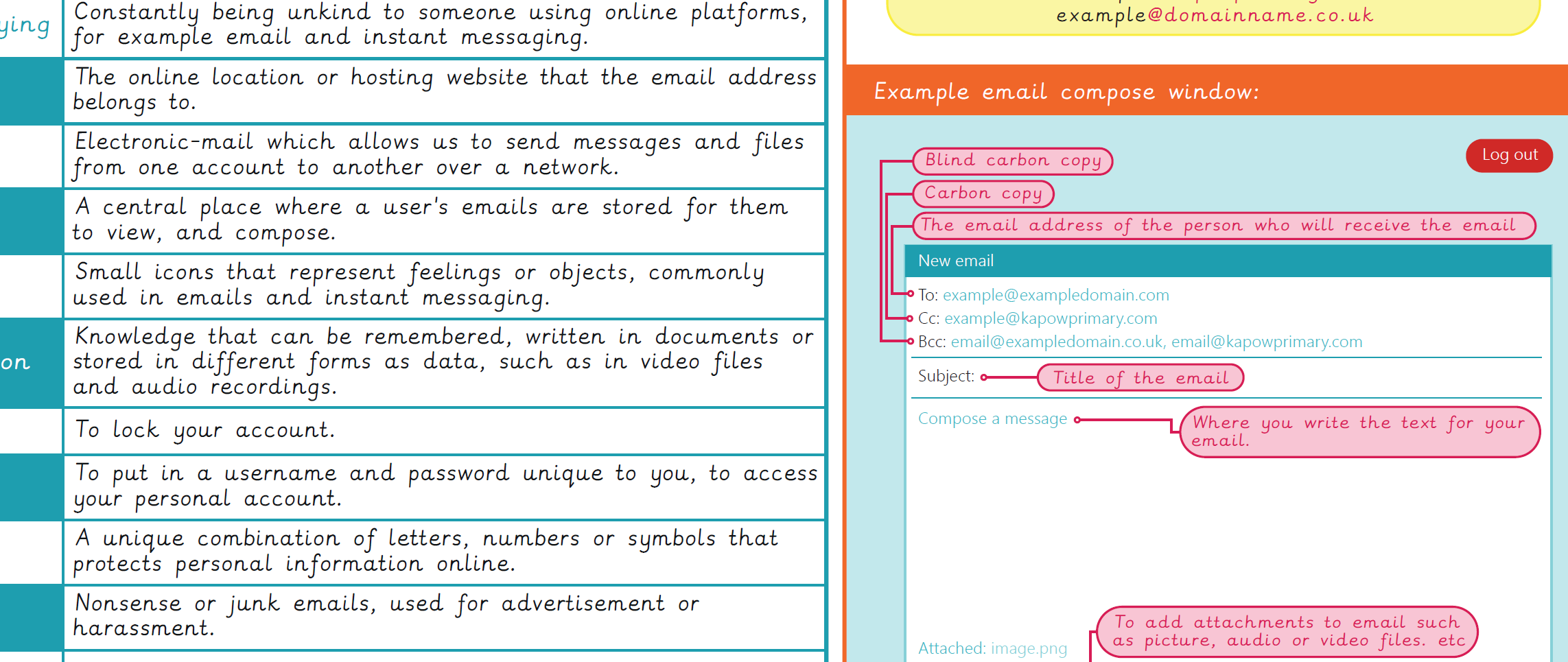
Knowledge organiser – Computing Y3: Emailing
Aimed at pupils, a single page which gives key facts and definitions from the unit "Computing systems and networks 2:…
Vocabulary display – Computing Y3: Emailing
A display version of the key vocabulary from the Emailing unit.
Subject resources
This content is for subscribers only. Join for access today.
Cross-curricular opportunities
English: Writing – composition
RSE: Online relationships
Build on the learning
Microsoft Office 365: Computing systems and networks: Collaborative learning
There are alternative options available for this unit.
