




- Subjects >
- Computing >
- Key stage 2 >
- Year 3 >
*Unit changes*
Please note that this unit has combined the previously separate Microsoft and Google versions.
It is now a single unit; however, lessons 3 and 4 remain available in Microsoft and Google formats.
Unit outcomes
Pupils who are secure will be able to:
- Explain what is meant by field, record and data.
- Compare paper and computerised databases.
- Put values into a spreadsheet.
- Sort, filter and interpret data in a spreadsheet.
- Create a graph.
- Explain the purpose of visual representations of data.
Suggested prior learning
Data handling: International Space Station
Get started
Lessons
Lesson 1: Records, fields and data
Lesson 2: Race against the computer
Lesson 5: Planning a holiday
Key skills
- Using logical thinking to explore more complex software, predicting, testing and explaining what it does.
- Understanding the vocabulary associated with databases: field, record and data.

This content is for subscribers only. Join for access today.
Key knowledge
- A database is a collection of data stored in a logical, structured and orderly manner.
- Computer databases can be useful for sorting and filtering data.
This content is for subscribers only. Join for access today.
Key vocabulary
category
chart
This content is for subscribers only. Join for access today.
Equipment list
Equipment needed across all lessons in this unit.
This list does not include equipment which is usually readily available in the classroom (e.g pencils, A4 paper etc)
 Download
Full equipment list for the subject
Quantities marked × will update. Items without quantities are unaffected
- Google Sheets As needed
- Google Forms As needed
- Microsoft Forms As needed
- Microsoft Excel As needed
- Devices with internet access ×15
-
A document created in spreadsheet software and shared with the class.
-
A Google Form for practice to become familiar with the software or a Microsoft Form for practice to become familiar with the software.
The equipment below is optional
- Examples of paper databases (e.g. an Argos catalogue or a phone book – optional) ×1
This content is for subscribers only. Join for access today.
Related content
Unit resources

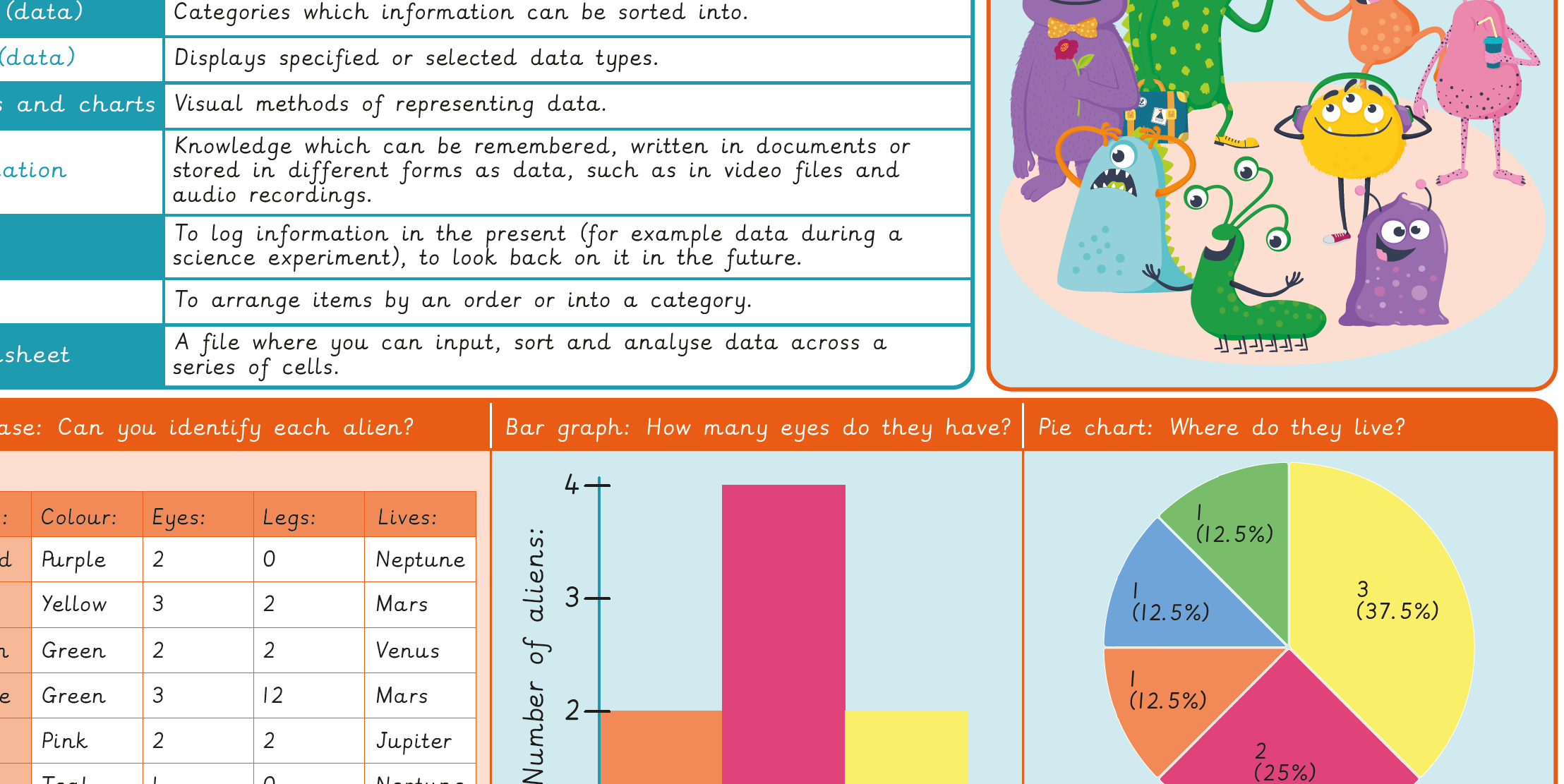
Knowledge organiser – Computing Y3: Comparison cards databases
Aimed at pupils, a single page which gives key facts and definitions from the unit "Data handling: Comparison cards databases".
Vocabulary display – Computing Y3: Comparison cards databases
A display version of the key vocabulary from the Comparison cards database unit.
Subject resources
This content is for subscribers only. Join for access today.
Cross-curricular opportunities
Maths
Number and place value, Statistics
Suggested next steps
Data handling: Investigating weather
There are alternative options available for this unit.
