




Unit outcomes
Pupils who are secure will be able to:
- Create a Sway with a title, image and a completed first header section.
- Create a clear plan for their web page and beginning to create it.
- Create a professional-looking web page with useful information and a clear style, which is easy for the user to read and find information from.
- Create a clear plan by referring back to their checklist to include a range of features.
- Create a web page with clear sections and with a range of features in.
Suggested prior learning
Microsoft Office 365: Computing systems and networks: Collaborative learning
If your school does not have access to Microsoft, there is also a Google version of this unit.

Lessons
Lesson 1: Getting to know Microsoft Sway
Lesson 2: Book review webpage
Lesson 3: Adding features
Lesson 4: Planning my website
Lesson 5: Creating my website
Key skills
- Building a web page and creating content for it.
- Designing and creating a webpage for a given purpose.

This content is for subscribers only. Join for access today.
Key knowledge
- To know that a website is a collection of pages that are all connected.
- To know that websites usually have a homepage and subpages as well as clickable links to new pages, called hyperlinks.
This content is for subscribers only. Join for access today.
Key vocabulary
assessment
audience
This content is for subscribers only. Join for access today.
Equipment list
Equipment needed across all lessons in this unit.
This list does not include equipment which is usually readily available in the classroom (e.g pencils, A4 paper etc)
 Download
Full equipment list for the subject
Quantities marked × will update. Items without quantities are unaffected
- Microsoft Sway As needed
- Microsoft Word As needed
- Devices with internet access ×15
- Access to an Office365 account. As needed
- Three pre-prepared website home pages within Microsoft Sway. As needed
- Choose a topic from another area of the curriculum to create websites about. ×1
This content is for subscribers only. Join for access today.
Related content
Unit resources

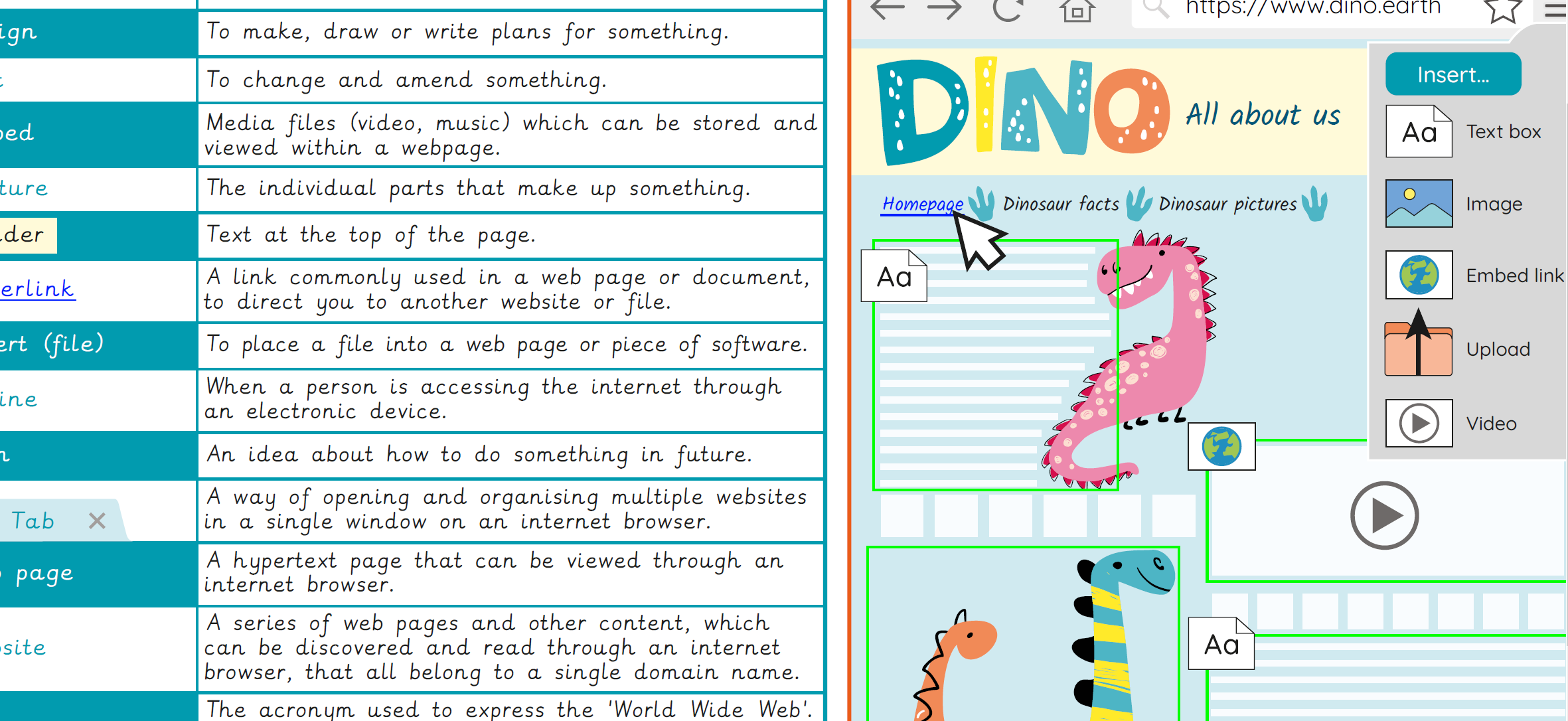
Knowledge organiser – Computing Y4: Website design
Aimed at pupils, a single page which gives key facts and definitions from the unit "Creating media: Website design".
Vocabulary display – Computing Year 4: Website design
A display version of the key vocabulary from the Website design unit.
Subject resources
This content is for subscribers only. Join for access today.
Cross-curricular opportunities
RSE: Online Relationships – keeping safe, recognise risks and how to report. How information and data is shared and used online.
English: Reading – comprehension. Discussions about books – taking turns and listening to what others say.
English: Writing – composition. Organisational devices, learning from writing examples and peer assessment.
Suggested next steps
Stop-motion animation – Option 1: Using Stop Motion Studio
Get started
