




Unit outcomes
Pupils who are secure will be able to:
- Describe the purpose of a trailer.
- Create a storyboard for a book trailer.
- Consider camera angles when taking photos or videos.
- Import videos and photos into film editing software.
- Add text to a video.
- Incorporate transitions between images.
- Evaluate their own and others’ trailers.
Suggested prior learning
Creating media: Stop motion: Using tablets
There are alternative options available for this unit.

Lessons
Lesson 1: Planning a book trailer
Lesson 2: Filming
Lesson 3: Editing the trailer
Lesson 4: Transitions and text
Lesson 5: Video reviews
Key skills
- Using logical

This content is for subscribers only. Join for access today.
Key knowledge
- To know
This content is for subscribers only. Join for access today.
Key vocabulary
application
camera angle
This content is for subscribers only. Join for access today.
Equipment list
Equipment needed across all lessons in this unit.
This list does not include equipment which is usually readily available in the classroom (e.g pencils, A4 paper etc)
 Download
Full equipment list for the subject
Quantities marked × will update. Items without quantities are unaffected
- Video software
- A selection of books that the children are familiar with.
- A video trailer for a children’s film of your choice. ×1
- IPads ×15
- Pre-prepared book character images. ×1
- Sticky notes
This content is for subscribers only. Join for access today.
Related content
Unit resources


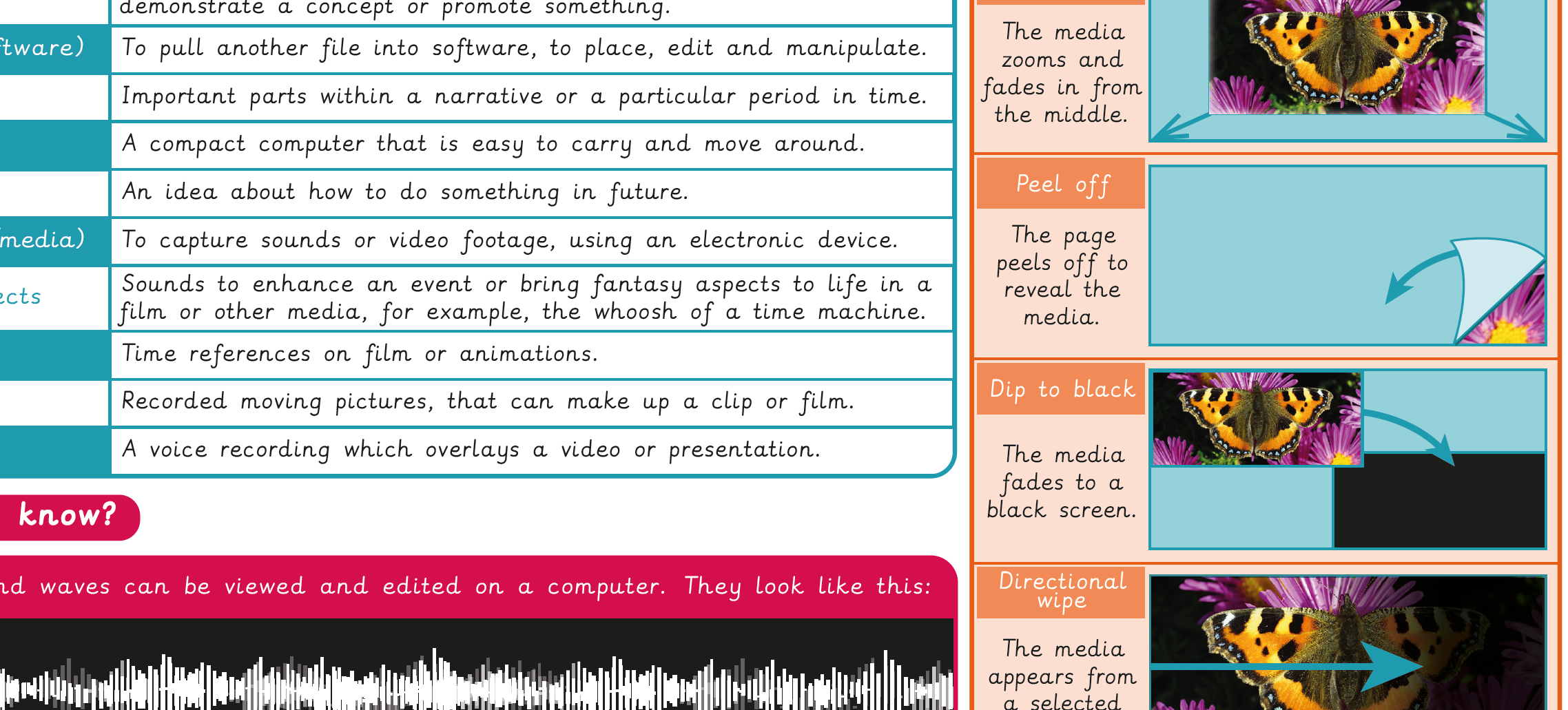
Knowledge organiser – Computing Y3: Video trailers
Aimed at pupils, a single page which gives key facts and definitions from the unit " Creating media: Video trailers".
Vocabulary display: Video trailers – Option 2
A display version of the key vocabulary from the Video trailers - Option 2 unit.
Subject resources
This content is for subscribers only. Join for access today.
Cross-curricular opportunities
English
Reading – comprehension
Writing – composition
Suggested next steps
Google: Creating media: Website design
There are alternative options available for this unit.
