




- Subjects >
- Computing >
- Key stage 1 >
- Year 2 >
Unit outcomes
Pupils who are secure will be able to:
- Name some computer peripherals and their functions.
- Recognise that buttons cause effects.
- Explain that technology follows instructions.
- Recognise different forms of technology.
- Design an invention which includes inputs and outputs.
- Explain the role of computers in the world around them.
Suggested prior learning
Computing systems and networks 1: Using a computer
Get started
Lessons
Lesson 1: Computer parts
Lesson 2: Inputs
Lesson 3: Technology safari
Lesson 4: Invention
Lesson 5: Real-world role play
Key skills
- Understanding what a computer is and that it is made up of different components.
- Recognising that buttons cause effects and that technology follows instructions.

This content is for subscribers only. Join for access today.
Key knowledge
- The difference between a desktop and a laptop computer.
- People control technology.
This content is for subscribers only. Join for access today.
Key vocabulary
battery
buttons
This content is for subscribers only. Join for access today.
Equipment list
Equipment needed across all lessons in this unit.
This list does not include equipment which is usually readily available in the classroom (e.g pencils, A4 paper etc)
 Download
Full equipment list for the subject
Quantities marked × will update. Items without quantities are unaffected
- Sketchpad Sketch.io software
- Digital device (internet-enabled) ×15
- Sticky notes Per group: 10
- Clipboards ×8
- A digital camera, iPad or tablet ×8
- A planned route around the school to show the children different examples of technology ×1
This content is for subscribers only. Join for access today.
Related content
Unit resources

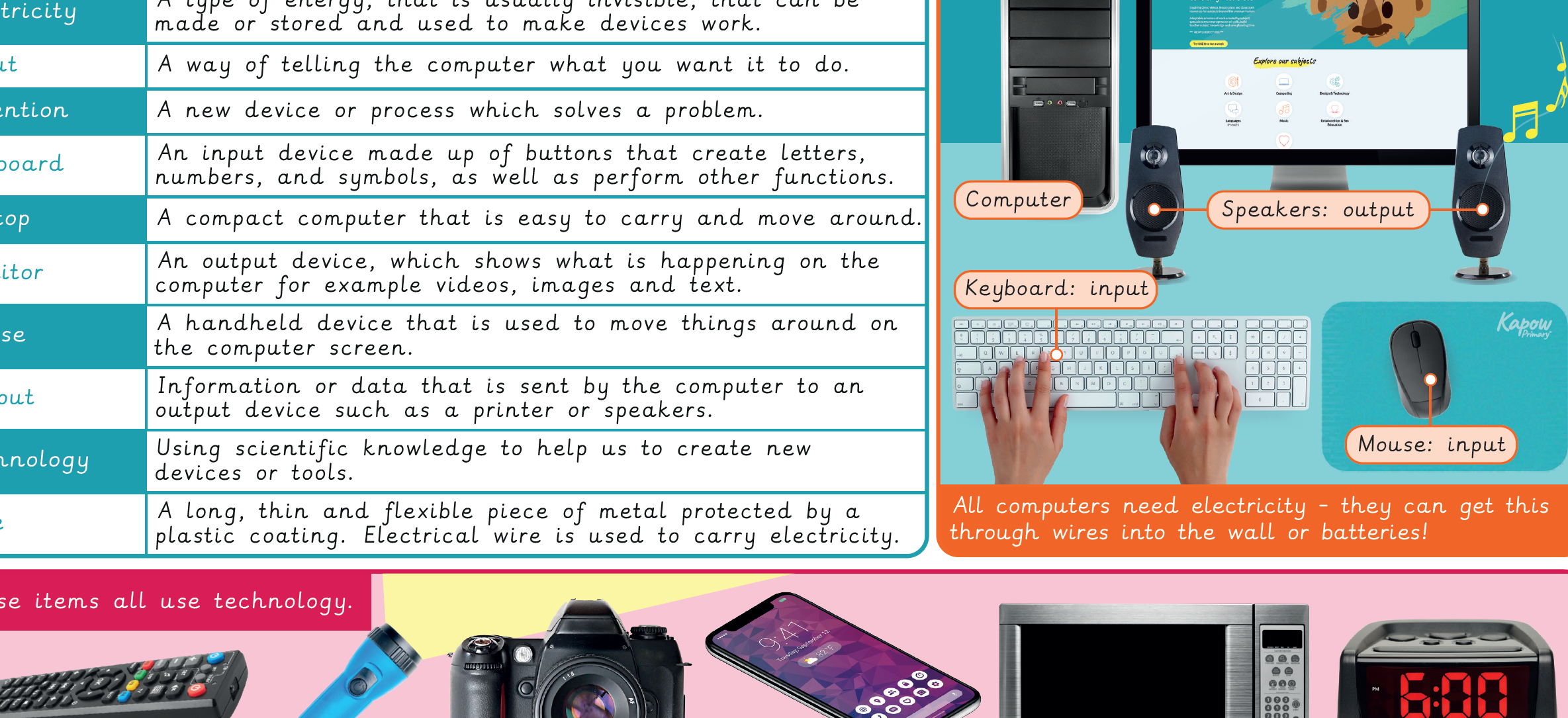
Knowledge organiser: Computing – Y2 What is a computer?
Aimed at pupils, a single page which gives key facts and definitions from the unit.
Vocabulary display – Computing Y2: What is a computer?
A display version of the key vocabulary from the What is a computer? unit.
Subject resources
This content is for subscribers only. Join for access today.
Cross-curricular opportunities
English: Spoken Language
Science: Working scientifically
Design and technology: Design
Suggested next steps
Computing systems and networks 3: Journey inside a computer
Get started
