




- Subjects >
- Computing >
- Key stage 2 >
- Year 5 >
Unit outcomes
Pupils who are secure will be able to:
- Create a pixel picture, explaining that a pixel is the smallest element of a digital image and that binary is used to code and transfer this data.
- Save a JPEG as a bitmap and recognise the difference in file size as well as explaining how pixels are used to transfer image data.
- Explain the ‘fetch, decode, execute’ cycle in relation to real-world situations.
- Create a profile with a safe and suitable username and password and begin to use 3D design tools.
- Independently take tutorial lessons, applying what they have learnt to their design and understand the importance of using an online community responsibly.
Suggested prior learning
Data handling: Mars Rover 1
Get started
Lessons
Lesson 1: Pixels
Lesson 2: Compressing images
Lesson 3: Fetch-Decode-Execute cycle
Lesson 4: Tinkering with CAD
Lesson 5: Tinkercad design
Key skills
- Learning the difference between ROM and RAM.
- Recognising how the size of RAM affects the processing of data.

This content is for subscribers only. Join for access today.
Key knowledge
- To understand that bit patterns represent images as pixels.
- To understand that the data for digital images can be compressed.
This content is for subscribers only. Join for access today.
Key vocabulary
3D
algorithm
This content is for subscribers only. Join for access today.
Equipment list
Equipment needed across all lessons in this unit.
This list does not include equipment which is usually readily available in the classroom (e.g pencils, A4 paper etc)
 Download
Full equipment list for the subject
Quantities marked × will update. Items without quantities are unaffected
- Microsoft Excel As needed
- Google Sheets As needed
- TinkerCAD ×1
- Devices with internet access ×15
- Squared or graph paper ×30
- Colouring pencils ×30
-
6 envelopes, each containing the cut-up images.
-
For the Fetch-Decode-Execute activity: 1 piece of plain A4 paper; 3 colouring pencils (red, green and blue); stopwatch.
- Sticky notes
This content is for subscribers only. Join for access today.
Related content
Unit resources

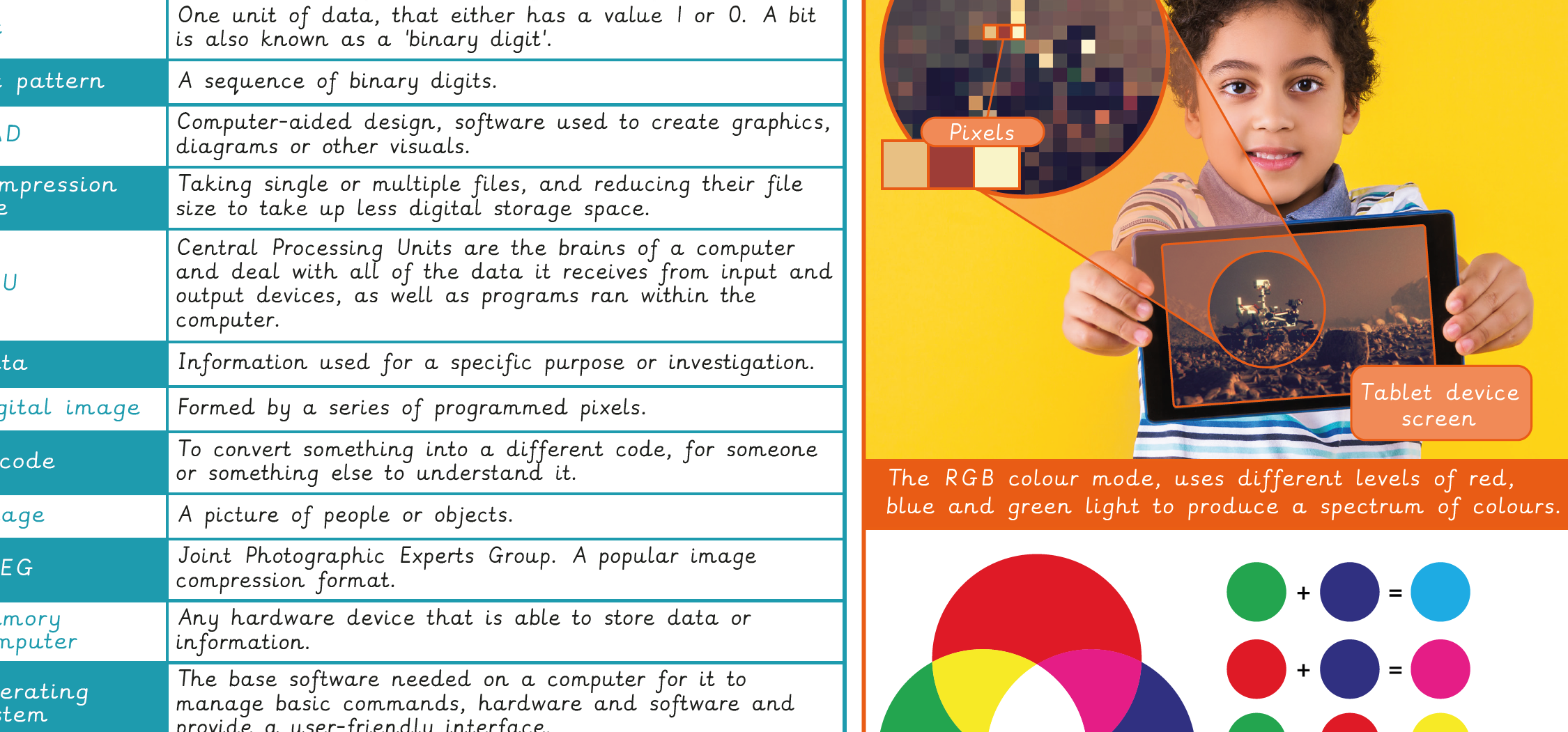
Knowledge organiser – Computing Y5: Mars Rover 2
Aimed at pupils, a single page which gives key facts and definitions from the unit.
Vocabulary display – Computing Y5: Mars Rover 2
A display version of the key vocabulary from the Mars Rover 2 unit.
Subject resources
This content is for subscribers only. Join for access today.
Cross-curricular opportunities
Art & Design – art and design techniques, including drawing, painting and sculpture.
English: Spoken Language – develop understanding through speculating, hypothesising, imagining and exploring ideas.
RSE: Online Relationships – online friendships, sources of information including an awareness of the risks of strangers.
Suggested next steps
Data handling 1: Big Data 1
Get started
