




- Subjects >
- Computing >
- Key stage 1 >
- Year 2 >
Unit outcomes
Pupils who are secure will be able to:
-
Identify the main keys on a keyboard and use them for typing.
-
Use the ‘spacebar’ correctly when typing short words or sentences.
-
Type capital letters using the ‘Shift’ key.
-
Explain that the keyboard is an input device used to enter information.
-
Type sentences using a word processor and make simple text changes.
-
Select text and use on-screen buttons to alter its appearance.
-
Create documents with images and text, using keyboard shortcuts.
-
Use copy and paste, different text styles and credit source materials.
Suggested prior learning
Skills showcase: Rocket to the moon
Get started
Lessons
Lesson 1: Getting to know the keyboard
Lesson 2: Getting started with word processing
Lesson 3: Newspaper writer
Lesson 4: Poetry book
Lesson 5: Digital writer
Key skills
- Developing confidence

This content is for subscribers only. Join for access today.
Key knowledge
To know:
-
This content is for subscribers only. Join for access today.
Key vocabulary
backspace
bold
This content is for subscribers only. Join for access today.
Equipment list
Equipment needed across all lessons in this unit.
This list does not include equipment which is usually readily available in the classroom (e.g pencils, A4 paper etc)
 Download
Full equipment list for the subject
Quantities marked × will update. Items without quantities are unaffected
You can use either software.
- Google As needed
- Microsoft As needed
- Digital device (internet-enabled) ×15
- Stopwatch / timer ×8
- A paragraph from a book in an editable document
- Books
- A copy of ‘The Gingerbread Man’ or another well-known tale.
- A copy of ‘The Gingerbread Man’ or another well-known tale.
This content is for subscribers only. Join for access today.
Related content
Unit resources


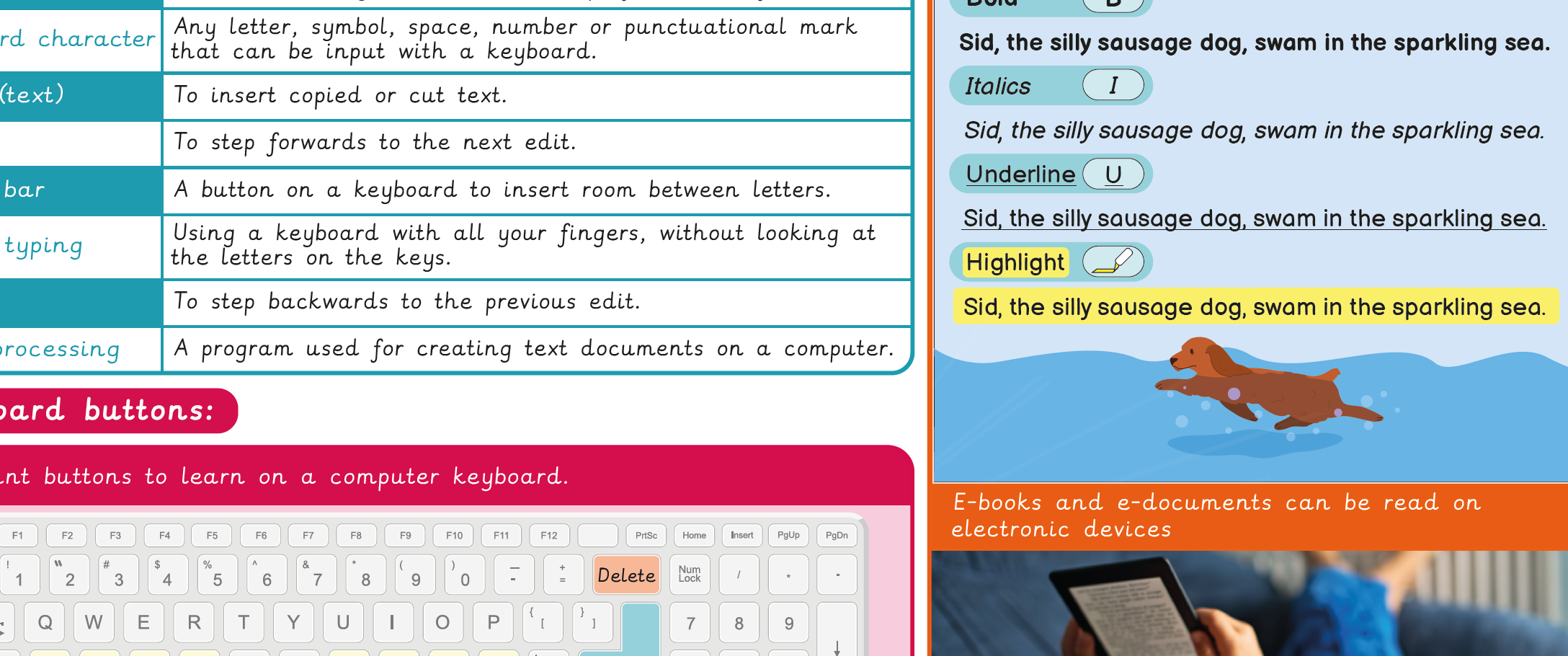
Knowledge organiser – Computing Y2: Word processing
Aimed at pupils, a single page which gives key facts and definitions from the unit ‘Word processing’.
Vocabulary display – Computing Y2: Word processing
A display version of the vocabulary for the unit ‘Word processing'.
Subject resources
This content is for subscribers only. Join for access today.
Cross-curricular opportunities
English: Writing – transcription; Writing – vocabulary, grammar and punctuation; Reading – comprehension
Suggested next steps
Google: Computing systems and networks 2: Emailing
There are alternative options for this unit.
