




- Subjects >
- Computing >
- Key stage 2 >
- Year 5 >
Unit outcomes
- Describe how information travels across the internet from a server to a device.
- Explain the roles of browsers, servers and webpages in displaying information online.
- Describe how search engines find, rank and present search results.
- Recognise different types of search results and explain the factors that influence their ranking.
- Refine searches by choosing effective keywords and evaluating the usefulness of search results.
- Compare file sizes and explain why different files take up different amounts of storage space.
- Choose appropriate files to download or delete based on their size and the amount of storage available.
- Compare different types of digital storage and transfer files by uploading and downloading between storage areas.
Lessons
Lesson 1: How websites work

Lesson 2: How search results are ranked
Lesson 3: Searching the web and search results
Lesson 4: Storage and file sizes
Lesson 5: Where to store
Key skills
- Describing how a website works (e.g., how a browser requests a web page from a server).
- Explain how search engines work and how they present information.

This content is for subscribers only. Join for access today.
Key knowledge
- To know that search engine results are ranked and influenced by factors like keywords, advertisements and popularity.
- To know that downloading is copying data from one storage place to another, like from the cloud to a local device.
This content is for subscribers only. Join for access today.
Key vocabulary
artificial intelligence
browser
This content is for subscribers only. Join for access today.
Equipment list
Equipment needed across all lessons in this unit.
This list does not include equipment which is usually readily available in the classroom (e.g pencils, A4 paper etc)
 Download
Full equipment list for the subject
Quantities marked × will update. Items without quantities are unaffected
- Kiddle
- Kapow teacher dashboard
- Envelopes 6
- Digital device (internet-enabled) ×15
-
A small storage box and a collection of glue sticks
This content is for subscribers only. Join for access today.
Related content
Unit resources

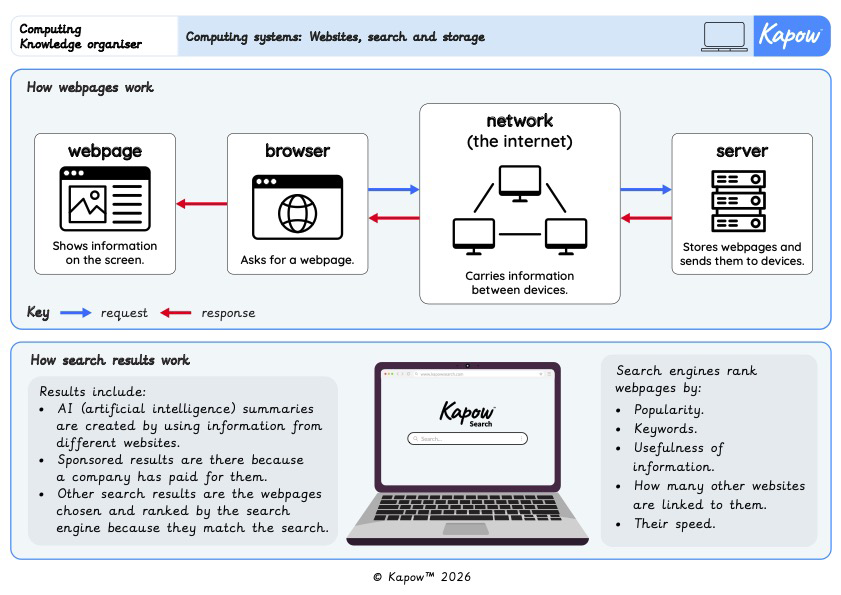
Knowledge organiser – Computing Y5: Computing systems
Aimed at pupils, two pages providing key facts and definitions from the unit 'Website, search and storage’
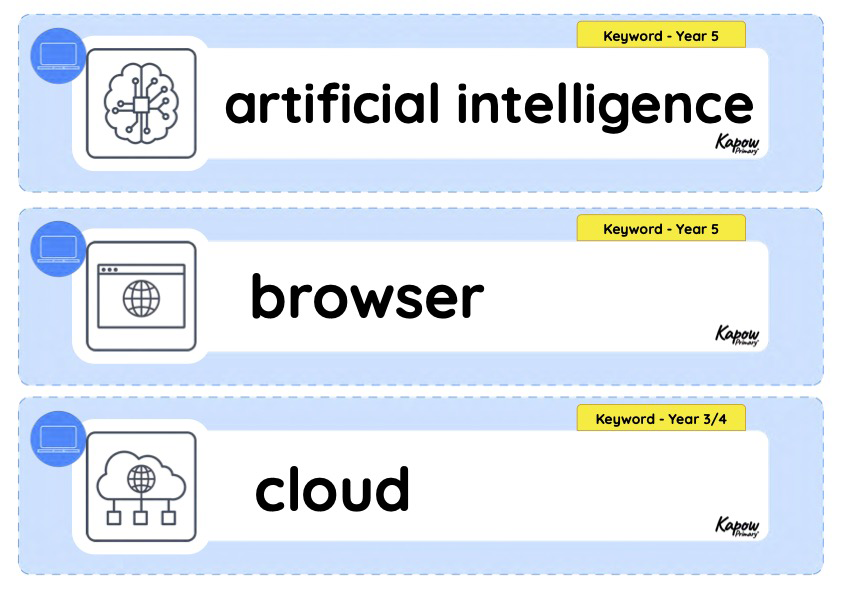
Vocabulary display – Computing Y5: Computing systems
A display version of the vocabulary from the unit 'Websites, search and storage'.
Subject resources
This content is for subscribers only. Join for access today.
Cross-curricular opportunities
English: Spoken language.
Maths: Measurement.
RSE and Health Education: Health and wellbeing – Wellbeing online & Relationships education – Online safety and awareness.
