• Pricing
  • Join
Free trialLogin
  • Art and design
  • Computing
  • Design and technology
  • French
  • Geography
  • History
  • Music
  • Religion and worldviews
  • RSE & PSHE
  • Science
  • Spanish

Start using Kapow for free

No credit card required

Free trial
Children celebrating in a school hall
  • BESA Awards 2025 Winner badge in gold.
  • ERA 2024 Winner badge with bold letters and a black-and-white illustrated face.
  • UK Digital Growth Awards 2024 Winner badge in white text on a black background.
  • ERA 2025 Finalist badge with bold letters and a black-and-white illustrated face.
  • Geographical Association Publishers’ Award 2024 Silver badge.
  • BESA Awards 2024 Finalist badge in silver.
  • Teacher Tapp Gold Recommendation Award 2024 badge with a gold trophy.
  • EdTech Impact badge for Top Teacher Knowledge Tool 2025, as rated by users.
  • Teach Primary Awards 2023 badge stating “Highly Commended.”
  • EdTech Impact Recommended badge with three blue stars, dated November 2024.
  • Circular badge stating “250 reviews on EdTech Impact.”

Sign up to our newsletter

Receive news and resources directly to your inbox.

Subjects

  • Art and design
  • Computing
  • Design and technology
  • French
  • Geography
  • History
  • Music
  • RSE & PSHE
  • Religion & worldviews
  • Science
  • Spanish
  • Archive

Company

  • Our Story
  • Blog
  • Webinars
  • Careers
  • Artsmark support
  • Contact
  • Specialists
  • FAQs
  • Accessibility
  • Sustainability
[email protected]0204 634 9025

©2026 Kapow. Website Design & Development by SoBold

  • Terms of use
  • Privacy
  • Cookies

Registered office: Staverton Court Staverton Cheltenham Gloucestershire GL51 0UX VAT: GB 337 0474 07 Company number 09640574 Postal address: PO Box 79904 London SE1 3JW

  1. Subjects
  2. Computing
  3. Key stage 2
  4. Year 6
  5. Programming: Exploring Python
  6. Lesson 2: Syntax rules

Lesson 2: Syntax rules

Exploring how syntax works in Python by spotting, fixing and understanding errors.
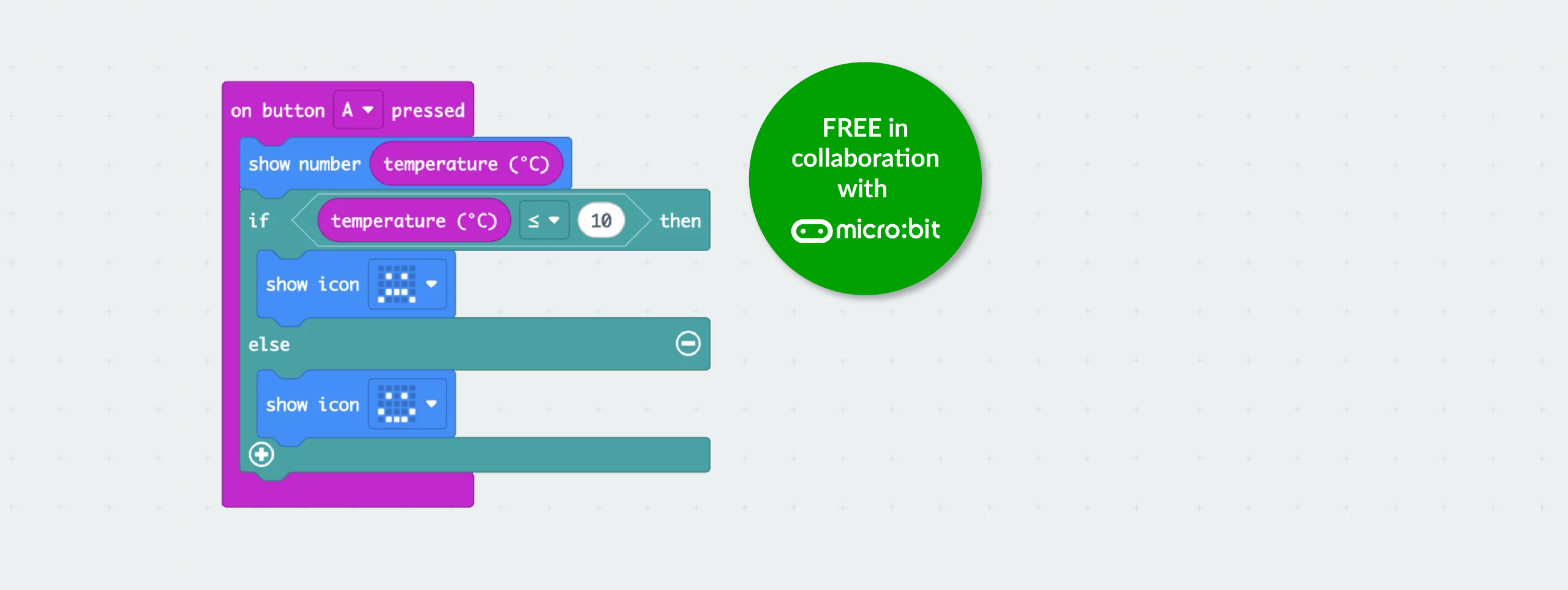
micro:bit MakeCode blocks showing temperature sensor code that displays the temperature and shows different icons when the value is below or above 10°C
Jump to:CPD video in this lesson
  • Key information
  • Before the lesson
  • Lesson plan
  • Adaptive teaching & vocabulary definitions
CPD video in this lesson

Learning objective

  • To follow Python’s syntax rules so the computer understands my instructions.

Success criteria

  • I can identify what Python needs to run correctly.

  • I can spot and fix simple typing or spacing errors.

  • I can explain why following Python’s rules matters.

Before the lesson

In collaboration with The Micro:bit Educational Foundation.

Watch

Watch

Lesson plan

Jump to:
  • Recap and recall
  • Attention grabber
  • Main event
  • Wrapping up

Explain that the children will create a mind map to help them remember what they learnt about the similarities and differences between block coding and Python in the previous lesson. Hand out whiteboards and pens (one each) and display the Presentation: Mind map. Read the slide aloud and allow time for the children to complete the activity.

Explain that the children will create a mind map to help them remember what they learnt about the similarities and differences between block coding and Python in the previous lesson. Hand out whiteboards and pens (one each) and display the Presentation: Mind map. Read the slide aloud and allow time for the children to complete the activity.

Presentation: Mind map

Take feedback, highlighting key ideas and addressing any misconceptions. They may recall:

  • Both block code and Python give instructions for the computer to follow.

  • MakeCode and Python can control the micro:bit to show text or patterns.

  • Block code uses visual blocks, while Python uses typed commands.

  • Loops in MakeCode (repeat) match 'for i in range()' in Python.

  • Both use pauses or timing to control when things happen.

  • Python needs correct spelling, symbols and indentation to work properly.

Take the children into a large space such as the hall or the playground. Explain that they will take part in an activity where they are robots and the teacher is the programmer. The programmer will give commands and the children must follow them exactly as spoken.

Read the three clear instruction sequences from the Resource: Programmer commands. Give slow, clear commands and end each sequence by saying, “End of program,” so the children know when to stop.

Repeat the activity using the three unclear instruction sequences to model broken or vague instructions.

Ask the children:

  • Why did it work the first time but not the second time? (The first set of instructions were clear and in order but the second ones were muddled and hard to follow.)
  • What was missing or confusing in the second sequence? (Some commands were not clear or were said in the wrong order so the robot did not know what to do.)
  • How did you know when to stop the first time? (The programmer said, “End of program,” so the robot knew it was finished.)
  • How is this like a real computer? (A computer needs clear, exact instructions and an ending to know when to stop running.)

Take feedback and explain that Python works in the same way as a robot. It needs clear, precise instructions to understand what to do.

Explain that syntax is the name for the set of rules a computer uses to read code.

Display slide 1 of the Presentation: Punctuation matters! Read the sentences aloud.

Presentation: Punctuation matters!

Discuss how small changes in punctuation can completely change the meaning. Explain that Python syntax works in the same way. Python needs the correct symbols, spacing and structure so the computer can understand the instructions. A missing colon or incorrect indentation is an example of incorrect syntax. When the syntax is wrong, the program stops because the computer cannot guess what was meant.

Play the Pupil video: What is syntax?

Group the class into table teams and hand out a whiteboard and pen to each group. Display slide 1 of the Presentation: Syntax showdown.

Show the two code snippets side by side. Ask the teams to decide which version is correct and explain why. Encourage them to check for small details such as colons, indentation, spelling and spacing.

Slide with a yawning cat under the heading Introduction.
Full-screen slides, ready for your classroom, chosen by you.
Teach in presentation mode

Success criteria

  • I can identify what Python needs to run correctly.

  • I can spot and fix simple typing or spacing errors.

  • I can explain why following Python’s rules matters.

Was this lesson effective?

We value your feedback

We welcome your feedback to help make our resources even better
Please rate this content
1=poor  5=excellent

As a subscriber you have read and agree to our Privacy Policy

For general enquiries not relating specifically to this subject, please contact us

In this unit

  • Assessment – Computing Y6: Programming: Exploring Python

    View assessment
  • Lesson 1: From blocks to text

    View lesson
  • Current lesson

    Lesson 2: Syntax rules

  • Lesson 3: Nested loops in Python

    View lesson
  • Lesson 4: Remixing Python

    View lesson
  • Lesson 5: Debugging Python

    View lesson
Created by: Kapow Primary Team | Maintained by: Kapow team
Last update: 15 April 2026
Meet the specialists
Use presentation mode

Share lessons with your friends and colleagues for free.

  • Join
  • Free trialLogin

    Start using Kapow for free

    No credit card required

    Free trial
    Children celebrating in a school hall

    Used in 8,390 schools!