




- Subjects >
- Computing >
- Key stage 2 >
- Year 5 >
Please note
Scratch is a project of the Scratch Foundation, in collaboration with the Lifelong Kindergarten Group at the MIT Media Lab. It is available for free at https://scratch.mit.edu.
Unit outcomes
Pupils who are secure will be able to:
- Recognise that Scratch is a coding application with music elements.
- Predict the effects of different code blocks and explain discoveries from tinkering.
- Code a soundtrack using sound blocks, loops and nested loops to enhance a scene.
- Use loops to simplify a program and understand that nested loops can repeat a rhythm or pattern.
- Decompose a program into smaller parts and remix existing code in new projects.
- Identify errors in a program, debug them and evaluate the effectiveness of a program.
Suggested prior learning
ARCHIVED Year 4: Programming 1: Further coding with Scratch
Get started
Lessons
Lesson 1: Tinkering with Scratch music elements
Lesson 2: Scratch soundtracks
Lesson 3: Planning a soundtrack
Lesson 4: Programming a soundtrack
Lesson 5: Evaluating a soundtrack
Key skills
- Recognising examples of programming elements in real-life applications.
- Looking at programming blocks and considering how they could be used in a program.

This content is for subscribers only. Join for access today.
Key knowledge
- Programmers often save time when creating code by taking code from one program and turning it into another.
- Nested loops are loops within loops.
This content is for subscribers only. Join for access today.
Key vocabulary
code (Y2)
debug (Y2)
This content is for subscribers only. Join for access today.
Equipment list
Equipment needed across all lessons in this unit.
This list does not include equipment which is usually readily available in the classroom (e.g pencils, A4 paper etc)
 Download
Full equipment list for the subject
Quantities marked × will update. Items without quantities are unaffected
- Scratch (website) ×1
- Digital device (internet-enabled) ×15
- Paper ×30
The equipment below is optional
-
Microphones or devices to record sounds
×10 - 2 pairs of headphones and a headphone splitter ×15
- Example soundtracks from popular children’s films or TV programmes ×1
This content is for subscribers only. Join for access today.
Related content
Unit resources

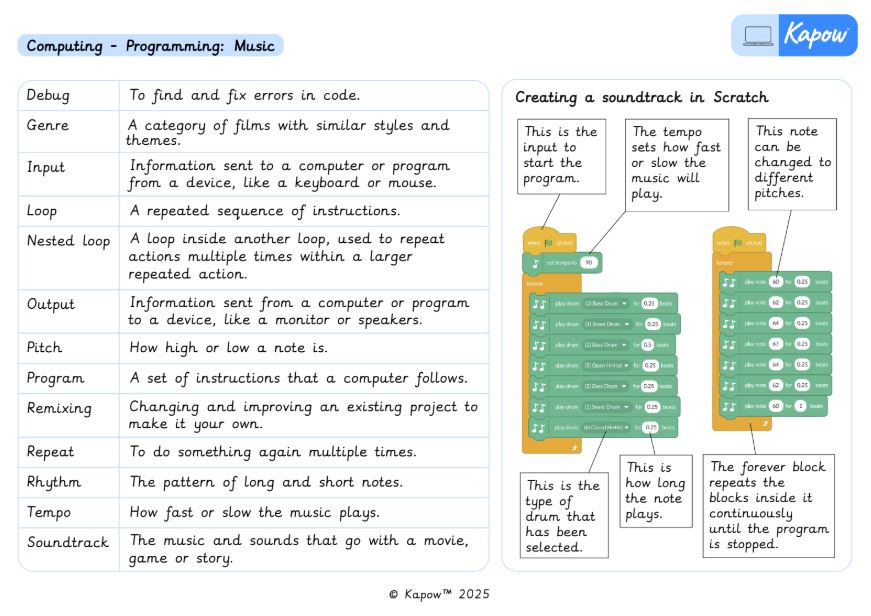
Knowledge Organiser – Computing Y5: *New* Programming: Music
Aimed at pupils, a single page which gives key facts and definitions from the unit ‘*New* Programming 1: Music’.
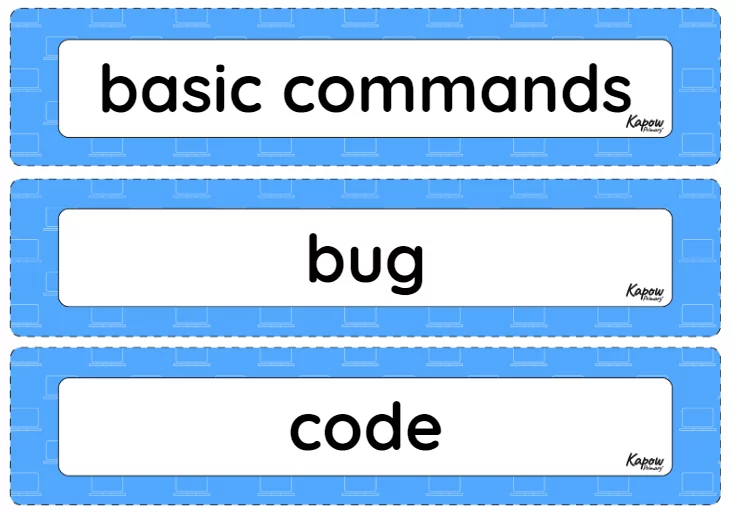
Vocabulary display – Computing Y5: *New* Programming music
A display version of the vocabulary from the unit '*New* Programming 1: Music'.
Subject resources
This content is for subscribers only. Join for access today.
Cross-curricular opportunities
Music.
English: Reading – Comprehension.
Suggested next steps
Programming 2: BBC micro:bit
Get started
