




- Subjects >
- Art and design >
- Key stage 2 >
- Year 6 >
Unit outcomes
Pupils who are secure will be able to:
- Explain how a new image can be created using a combination of other images.
- Understand what photomontage is and recognise how artists use photography.
- Select relevant images and cut them with confidence and a level of control.
- Demonstrate a competent knowledge of effective composition, discussing their ideas.
- Use recording devices and available software with confidence.
- Demonstrate a confident understanding of Edward Weston’s style through their artistic choices.
- Discuss the features of a design, e.g. explaining what is effective about a composition.
- Select a suitable range of props, considering the design brief and their initial ideas.
- Use the viewfinder to set up an effective composition, thinking about the scale and positioning of objects.
- Use editing software to change their image, reflecting an artist’s style.
- Choose a suitable painting and suggest appropriate ways to recreate it photographically with props.
- Set up a composition and think about a space that will provide good lighting levels.
- Take a portrait that is focused and appropriately framed.
- Draw an accurately measured grid, with some support, understanding how it can support them with their drawing.
- Use the grid to translate a photograph to a drawn image that is mostly correctly proportioned.
- Create a final painting or drawing with tonal differences that create a photo-realistic effect.
Suggested prior learning
Craft and design: Architecture
Get started
Lessons
Lesson 1: Photomontage
Lesson 2: Macro photography
Lesson 3: Digital art
Lesson 4: Recreating paintings
Lesson 5: Photorealistic self-portraits
Key skills
Generating ideas:

This content is for subscribers only. Join for access today.
Key knowledge
Making skills – Formal
This content is for subscribers only. Join for access today.
Key vocabulary
album
arrangement
This content is for subscribers only. Join for access today.
Equipment list
Equipment needed across all lessons in this unit.
This list does not include equipment which is usually readily available in the classroom (e.g pencils, A4 paper etc)
 Download
Full equipment list for the subject
Quantities marked × will update. Items without quantities are unaffected
-
Magazines to cut images from
×15 -
Coloured, patterned or textured paper
×30 - Devices to take photos ×8
-
Access to basic photo editing software on laptops, tablets or similar
×15 - Fabric ×8
-
Fruit and vegetables to photograph
×15 -
Range of items to use as photographic props (such as: balloons, musical instruments, umbrellas, hats, items of clothing, kitchen utensils)
×30 -
Photo portraits of the children, to draw from
×30
This content is for subscribers only. Join for access today.
Related content
Unit resources


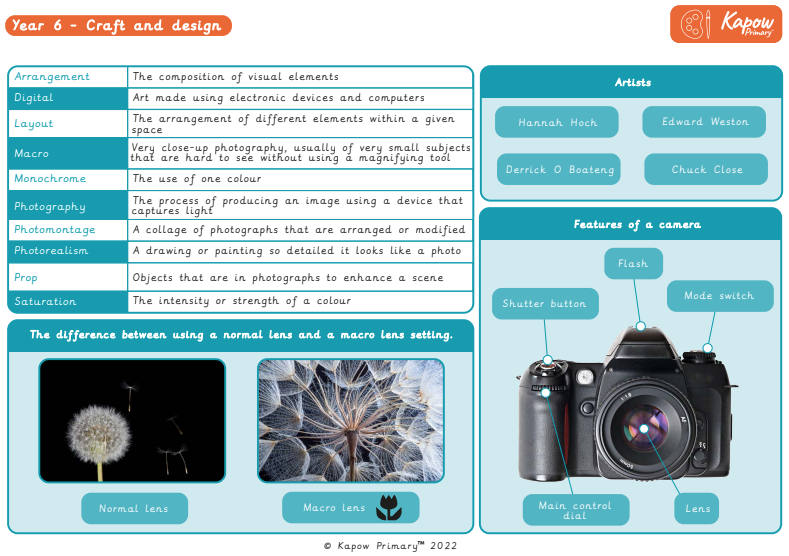
Knowledge organiser: Art & design – Y6 Craft and design
Aimed at pupils, two pages providing key facts and definitions from the unit "Craft and design: Photo opportunity."
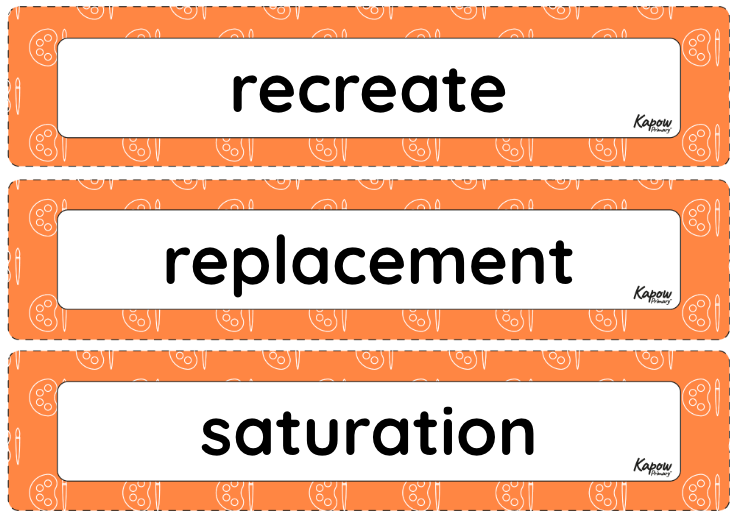
Vocabulary display – Art and design Year 6: Photo opportunity
A display version of the key vocabulary from the Photo opportunity unit.
Subject resources
This content is for subscribers only. Join for access today.
Cross-curricular opportunities
Computing
