




Learning objective
- To demonstrate how a website works.
Success criteria
- I can recognise that

This content is for subscribers only. Join for access today.
National curriculum
Computing Pupils should be taught
This content is for subscribers only. Join for access today.
Cross-curricular links
English Spoken language Pupils should
This content is for subscribers only. Join for access today.
Before the lesson
This content is for subscribers only. Join for access today.
Lesson plan
Recap and recall
Display the Presentation: 3, 2, 1 and hand each child a whiteboard and pen.
This content is for subscribers only. Join for access today.
Extended-mode explainer videos
How to extend your display to view the lesson page and presentation mode simultaneously. Choose your operating system below to watch the video
If you need further support with extending your display,
please contact [email protected].
Extended-mode explainer video: For Mac
Extended-mode explainer video: For Windows
Adaptive teaching
For pupils needing extra support Should use the Activity: How a website works: support to draw their visual representation. Pupils working at greater depth Could create their own server requests; should write a step-by-step explanation of a website’s journey through the internet.
This content is for subscribers only. Join for access today.
Assessing progress and understanding
Pupils with secure understanding indicated by: understanding the role of the server
This content is for subscribers only. Join for access today.
Vocabulary definitions
-
file
An item on a computer that can keep data in various forms, such as images, music and documents.
-
server
A computer that supplies data and information to other devices.
This content is for subscribers only. Join for access today.
In this unit
Assessment - Computing Y3: Networks

Lesson 1: What is a network?
Lesson 2: A file's journey
Lesson 3: How a website works
Lesson 4: Routers
Lesson 5: What is packet data?
Maintained by: Kapow Primary team
Last update: 17th January, 2026

Lesson 5: What is packet data?
Learning about the role of packet data.
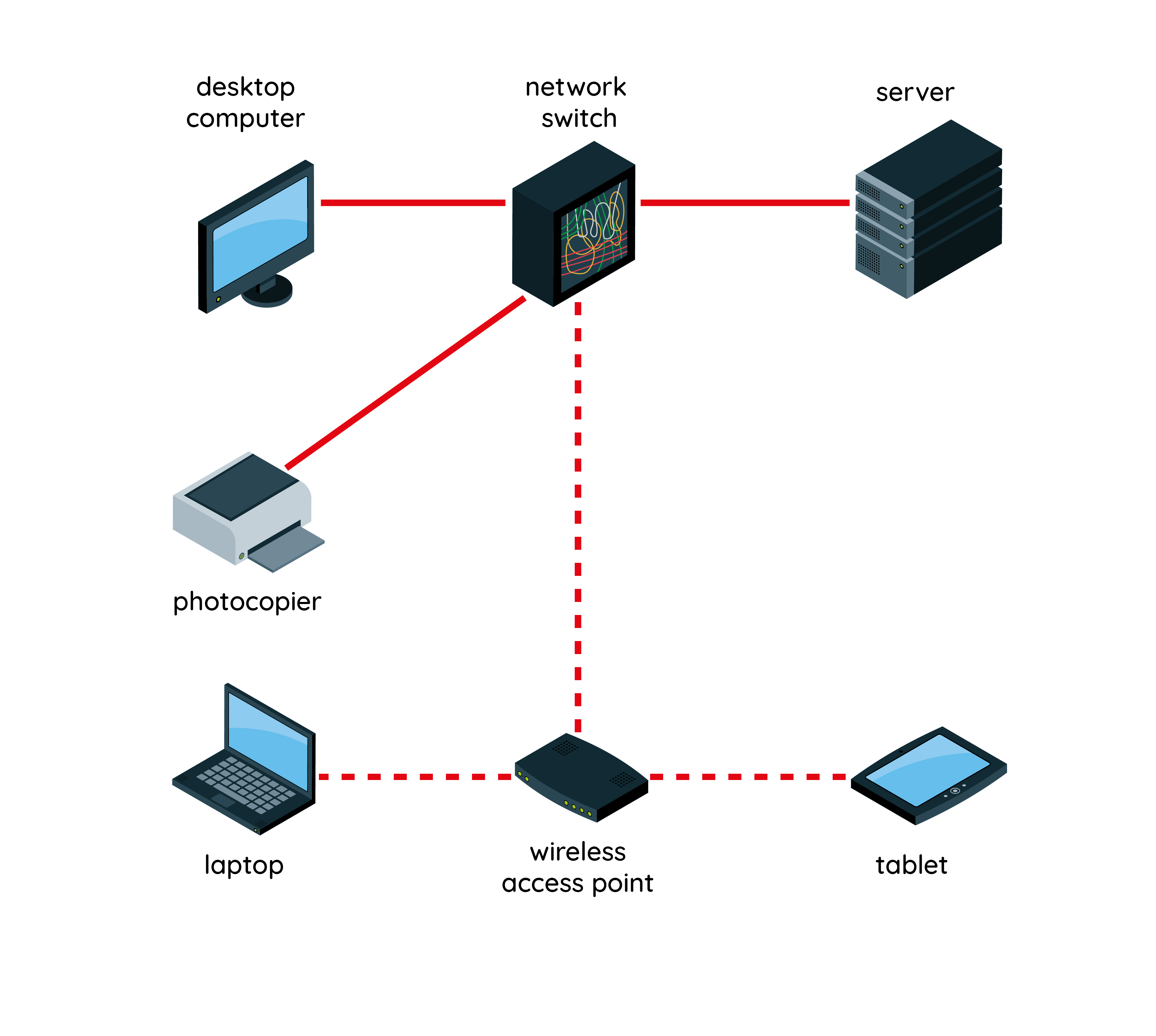
Lesson 1: What is a network?
Learning what is meant by the terms 'network', 'device' and 'wireless', which are essential to...
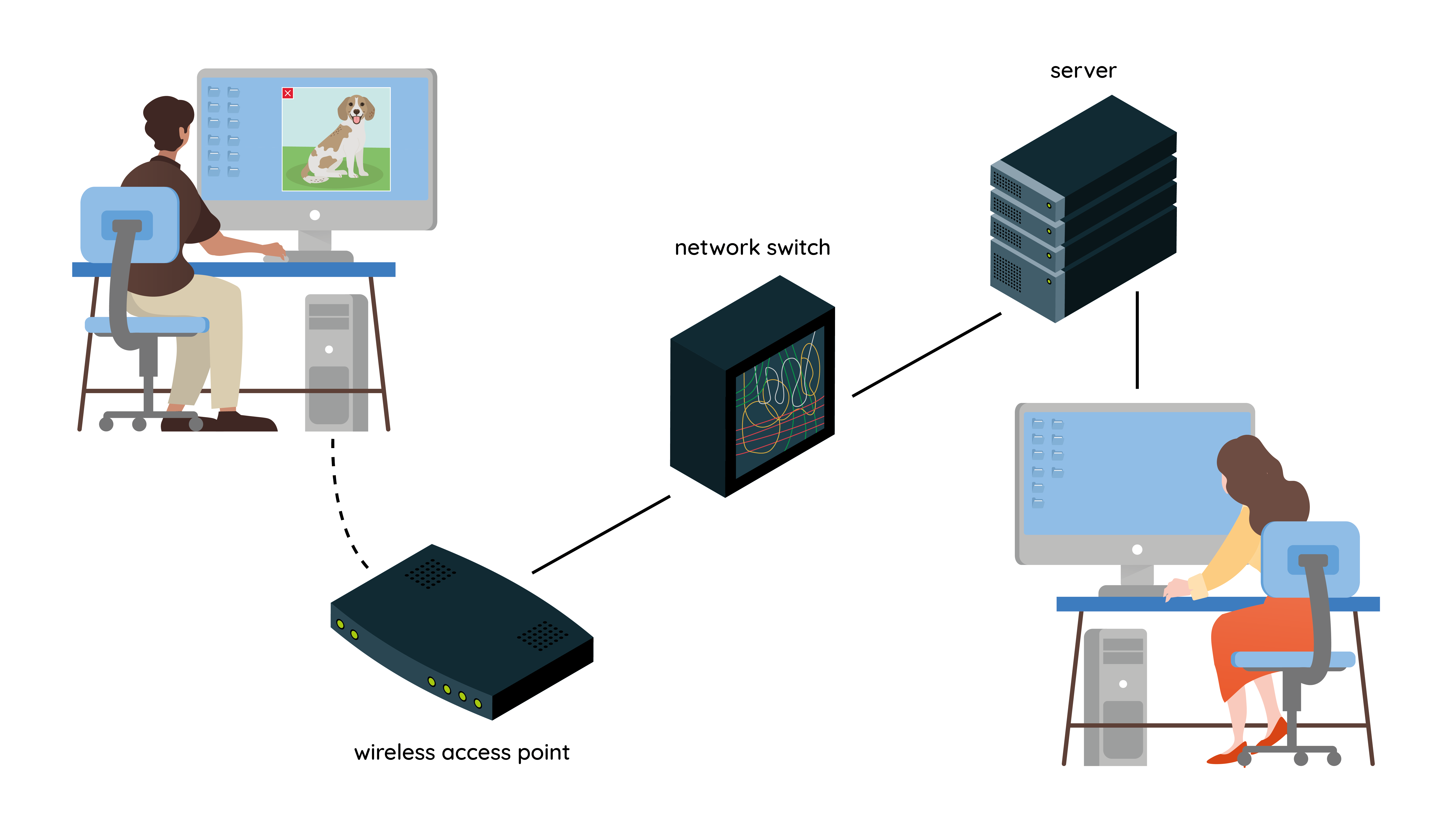
Lesson 2: A file’s journey
Developing an understanding of how a file is shared between two devices on a network.

Lesson 4: Routers
Learning about the role of a router.
